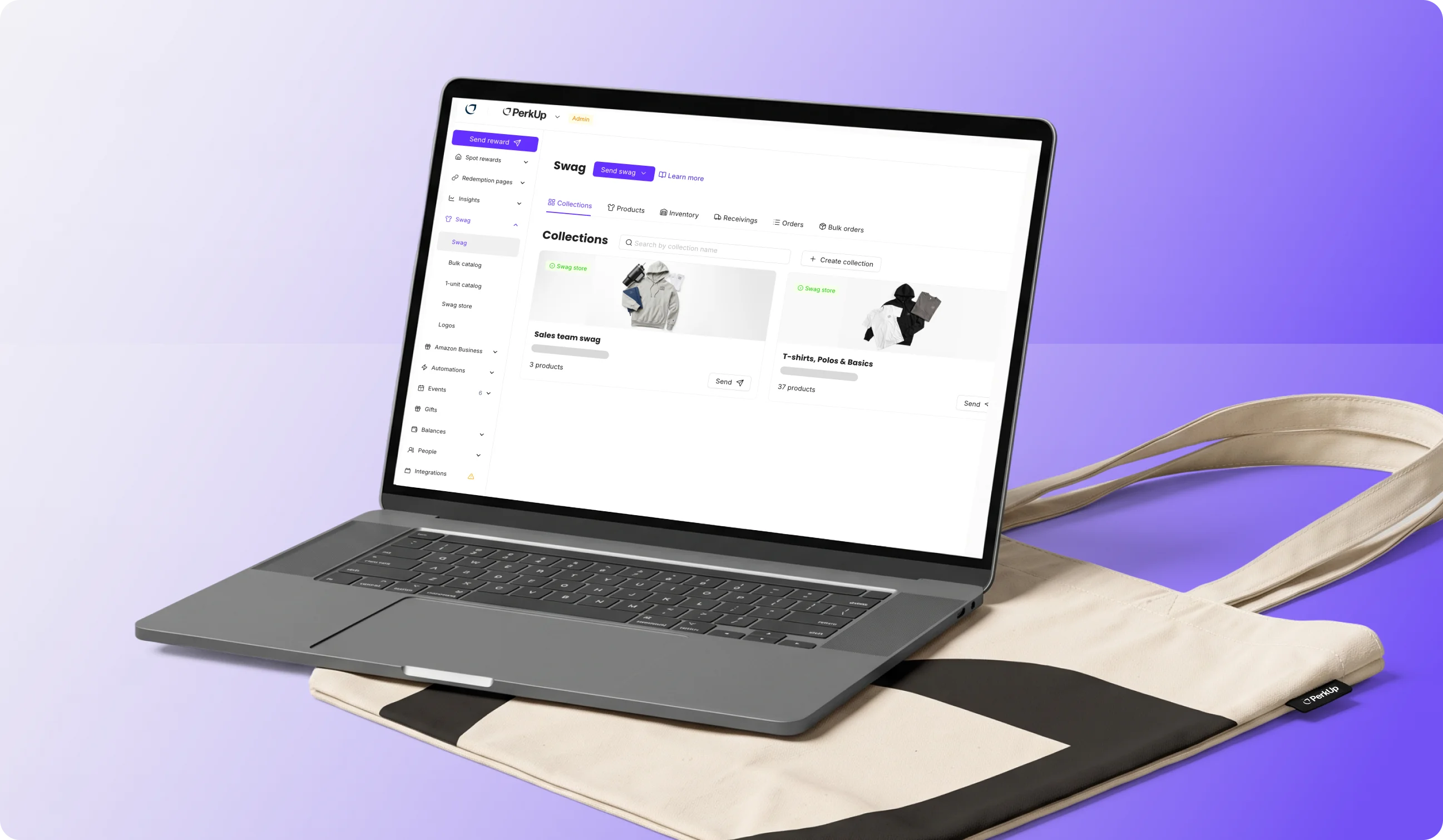
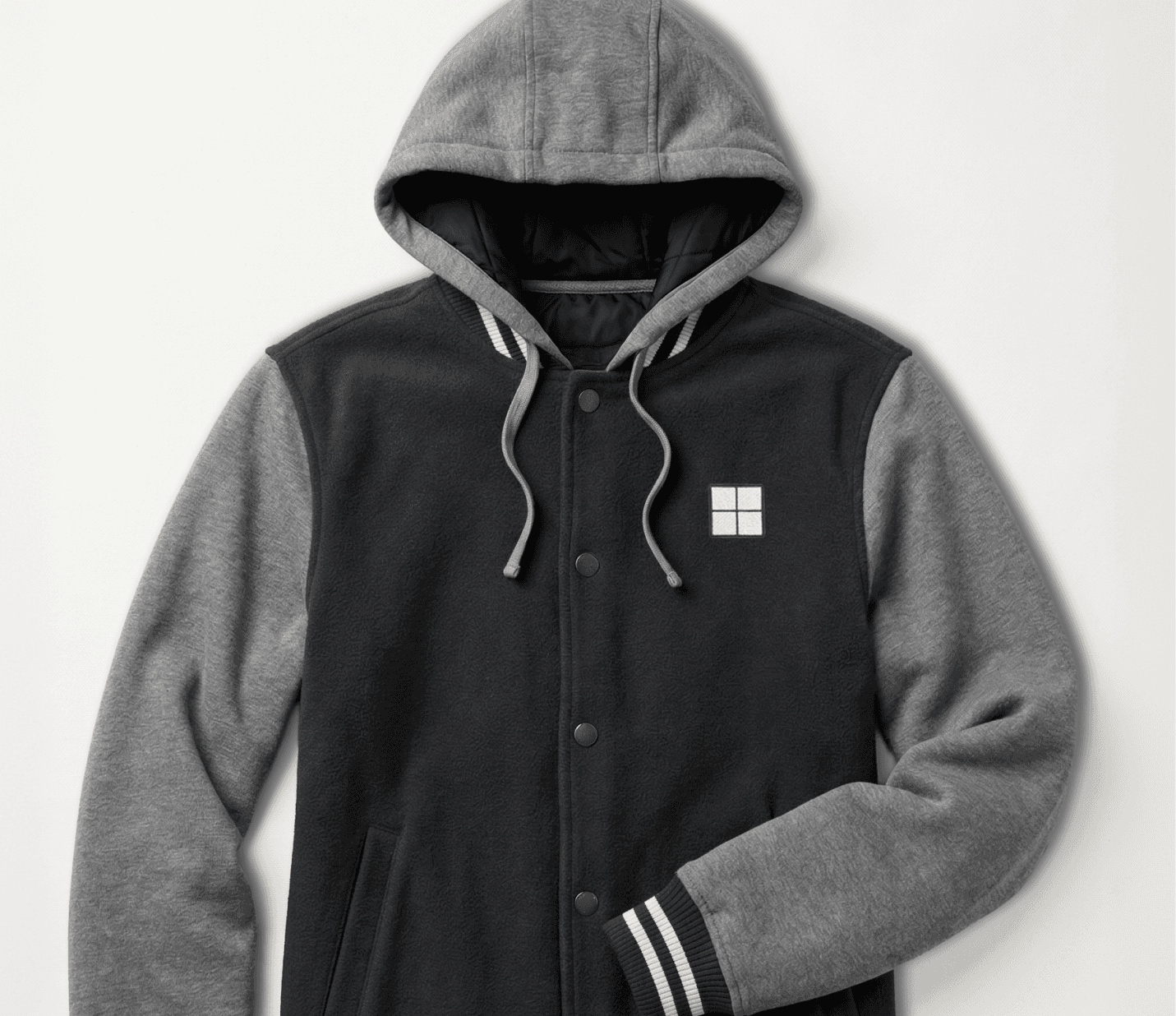
It’s November. You have 150 employees, a $50 holiday budget, and a hoodie you’re pretty sure most people will like. You send a form for sizes and addresses, and the replies start coming in. Someone on the sales team asks if their team name can go on it. Someone else would rather have the $65 jacket and offers to cover the extra $15.
Personalized gifts for employees are easy to want and hard to run. A custom line of text means a separate design and a separate order. Covering the difference means collecting money outside your swag and gifting platform and keeping track of who paid. Do that for a few dozen people and the holiday gift turns into a week of side conversations.
PerkUp redemption pages now take care of both requests on the page itself! Recipients can personalize customizable products (adding a logo or filling in text you’ve set up), and you can let them go over budget and pay the difference by card. Direct mail orders can also pull home addresses straight from your HR system, and event teams can start an order from the event page with the address and planned products already filled in.
Since the first two updates both happen on redemption pages, here’s a quick look at how those work first.
How does a PerkUp redemption page work?

A redemption page is a branded page where your recipients pick a swag item and share their delivery details, all from one link. You build it under Redemption pages in your PerkUp dashboard, choose what people can pick from, and share the link wherever your team gets updates. Recipients don’t need a PerkUp account either. They can just open the link, choose their gift, and enter their own shipping address.
Each page comes down to a few choices:
Where the swag comes from: Existing swag pulls from your warehouse inventory and the 1-unit catalog, and orders go out as people redeem. You can collect sizes and addresses first, then place one bulk order at the end.
How people pick: Recipients can pick one swag item, up to a set number of items, anything within a dollar budget, or open.
Who gets in: Anyone with the link, or only people who have the page password.
How much control you keep: An approval step before each redemption is processed, there are caps per person or per page, and there are email or Slack notifications.
The help center has the full guide to creating a redemption page. The two new settings below sit inside that same flow.

Let Recipients Personalize Their Swag

Personalized company swag usually means one of two things: everyone gets the same design, or someone on your team collects names and team details and builds each version by hand. Now, recipients can personalize customizable products right on a redemption page, and their design carries straight through to the finished order.
For HR teams, this matters most when a small personal detail is what makes the swag and gift more memorable. Think of a hoodie with each person’s name for an offsite, a notebook with their name for a work anniversary, or a tote with their office city for the holidays. An employee gift of choice already lets people pick what they want. Letting them add their own details on top makes it feel like it was made for them, and on your end, it’s only one link to send.
What makes a product customizable
A customizable product on PerkUp is an On Demand swag item where you’ve marked parts of the design as editable. On Demand swag (the 1-unit catalog in your dashboard) is made when someone orders it, with a 1-unit minimum, so each item can have a slightly different design without anyone placing a separate order.
You can set this up in the product editor, the same place you design any On Demand item with the On Demand Customizer. You choose which parts recipients can change and how much room they get, like letting them pick from a folder of approved office logos or type their own name under yours.
Anything you don’t open up stays locked. Your main logo stays exactly where your designer put it, while each person adds their own team name underneath. That’s why personalizing doesn’t have to mean giving up control of your brand. People get something that feels like theirs, and every item still looks like it came from your company.
Products with editable elements show a Customizable tag in your swag collections, so they’re easy to spot. You can add them to a redemption page, a swag store, or a gift send, and recipients fill in the fields when they pick one. So the same product can work for a holiday swag drop, the swag employees pick out for themselves, and a one-off gift for someone’s work anniversary.









Let Recipients Pick Swag Above Budget and Pay the Difference

A budget keeps spending predictable, but it also leaves people stuck when the swag item they really want costs a little more. In the earlier example, that’s the person who wants the $65 jacket on a $50 budget. Now they can still pick it and cover the extra $15 themselves.
It works on redemption pages where each recipient has a budget. Your company covers the budget, and the recipient pays the extra by card when they redeem. For your team, that means the budget you planned is the most you’ll spend per person, and nobody has to collect money from coworkers or keep track of who paid back. For recipients, it means they don’t have to settle for their second choice because it’s a few dollars over budget.
It’s off by default and set per page, so you can turn it on for a holiday page, where people expect to choose, and leave it off for a new hire welcome gift where everyone gets the same kit. The page also needs a password, which you can share with recipients over Slack or email. Recipients could already add personal funds to cover a larger purchase on other PerkUp rewards, and this brings the same option to redemption pages.
Send Direct Mail Using Addresses From Your HRIS

The next two updates are about getting swag to the right place, starting with direct mail. Direct mail is how you send swag for remote employees straight to their door instead of to an office. The slow part is rarely the swag. It’s getting a clean list of addresses, which usually means exporting a spreadsheet, fixing it, and uploading it as a CSV.
When you create a direct mail order in PerkUp, you can now pick team members by name or email. Once your HRIS integration is set to import home addresses, each person’s home address fills in automatically, so there’s no address spreadsheet to build and nothing to retype. Because the addresses come from your HR system, you’re working from the same records your people team already keeps up to date, not a spreadsheet someone exported months ago. And since only admins can see those synced addresses (managers can’t), home addresses stay with the people who need them.

Ship the Right Size With Direct Mail Automations

The same HRIS data helps with automations. PerkUp automations send swag on dates like start dates, birthdays, and work anniversaries, and each rule can either email the recipient or ship by direct mail. In direct mail mode, there’s no claim email, so the swag is shipped to the address on file as a surprise. Apparel now goes out in each person’s own size, as long as sizes are synced from your HR system.
That matters most for swag that’s meant to be a surprise, like a birthday or anniversary gift. Nobody has to fill out a size form first, and the hoodie that shows up is the size they actually wear.
If your HRIS doesn’t hold sizes, email mode is the better fit. Recipients get an email, choose their size and color, and enter their address before anything ships. The help center covers email vs direct mail send modes in more detail.
Order Swag Straight From Your Event Page

Event teams usually plan in one place and order in another. The event dates, venue address, and list of what you want to bring all sit on the event page, and then you open a new order and type it all in again.
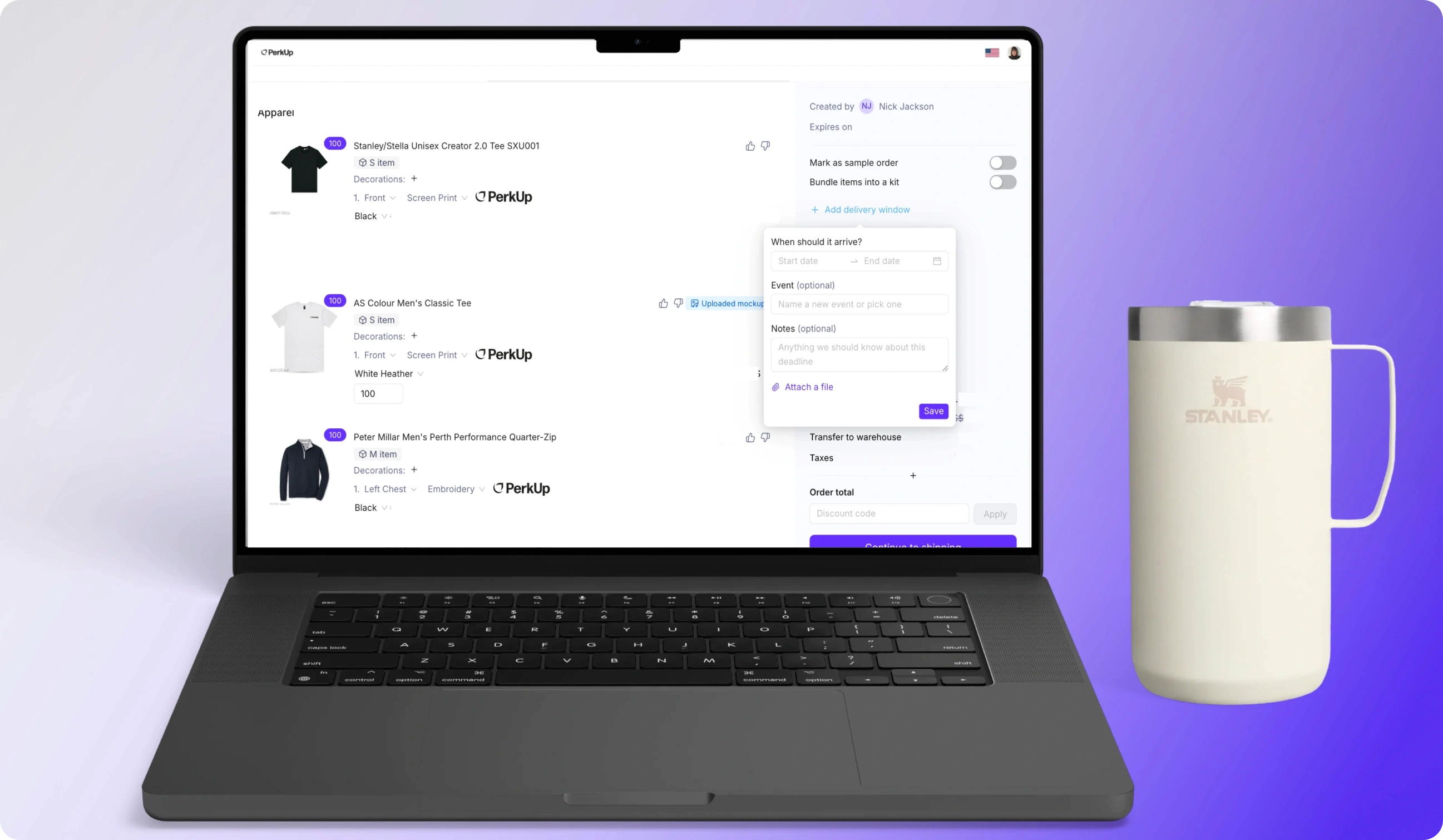
In PerkUp, every event has its own event page with the dates, shipping address, delivery window, and an order timeline. You can now start a bulk or direct mail order right from there. Direct mail orders open with the event’s shipping address and delivery window already filled in, and bulk orders open a new cart that’s already linked to the event, so you can go straight to adding swag. When you’re running several events at once, that’s one less chance to ship to the wrong venue or miss a delivery window because something got retyped wrong.
If you’ve already added products to the event but haven’t ordered them yet, each one shows its own order-by date. You can select the ones you’re ready for and order them in one go, with both the address and those products already filled in.
Order-by dates also show up earlier. As soon as you set a delivery date, the event page shows the last day to order for each order type (a new bulk order or items already in your US warehouse), before you’ve added a single item. That way you know how much time you have before you start choosing swag, instead of finding out the week before the event. The same dates are marked on the event calendar, right next to the event itself. Here’s how order-by dates are calculated if you want the full picture.
Why Use PerkUp For Personalized Swag For Employees

Personalization works best when it’s not a separate tool. In PerkUp, redemption pages, direct mail, events, and automations all run from one dashboard, so the same people directory, addresses, and balances carry across everything you send. That’s why one person on your team can run a holiday redemption page, a new hire kit that ships on someone’s start date, and swag for next month’s conference without switching tools or re-entering anyone’s details.
That also means you can mix what you send depending on the moment. You can combine:
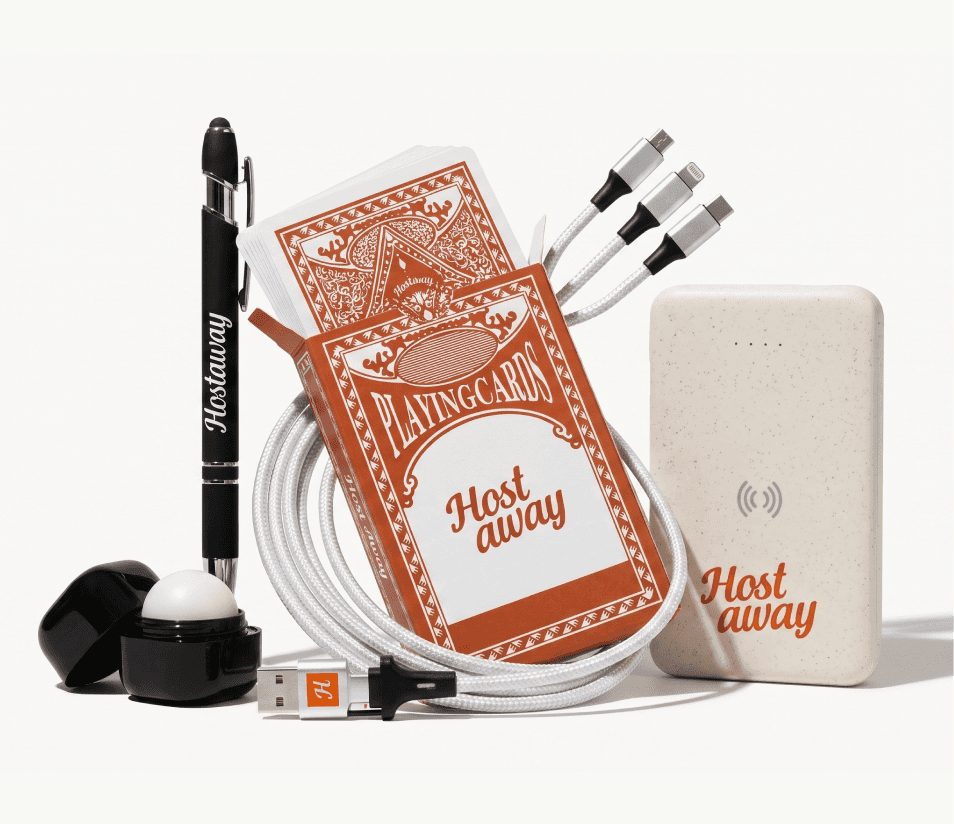
On Demand swag with a 1-unit minimum for personalized items and smaller sends
Bulk swag orders and swag warehousing for kits and larger programs
Swag stores where employees can shop for their own swag
5,000+ gift cards when swag isn’t the right fit
Automations for new hires, birthdays, and work anniversaries
HRIS integrations that keep addresses, start dates, and sizes up to date
Event swag tools with order-by dates and shipping to venues
If your team is spread across countries, you don’t need a separate process for each one. PerkUp handles shipping and customs for teams in 100+ countries. For international programs, we can bulk ship your swag, act as the importer of record (so we take care of import, duties, and customs), and move it to the warehouse closest to your recipients. From there, it’s delivered locally, which cuts shipping times and costs. For instance, Wise uses the same new hire swag to welcome new hires in London and Hong Kong, so onboarding feels the same in both offices.
You also don’t have to figure out the design alone. Our in-house design team can help with the design itself if you’d rather not start from a blank product, and if you want something that isn’t in the catalog at all, custom sourcing can make fully custom swag for you.
And because every send runs through the same dashboard, you stay in control of spend. You can set a budget per recipient, cap a redemption page’s total spend, and approve redemptions before they go out, so a personalized gift doesn’t turn into a surprise bill.
Conclusion
If you’re planning year-end gifts, a holiday event, or just preparing for a swag campaign, the fastest way to see how these updates and features fit together is to use them in your own use case. Book a demo, and we’ll walk you through it.
Frequently Asked Questions
How do recipients choose their own corporate gift?
Send them a redemption page link. They open it, pick from the products you’ve added within the rules you set (one item, a set number, or a dollar budget), personalize anything customizable, and enter their shipping details. They don’t need a PerkUp account.
Can recipients pay extra for a gift that’s over budget?
Yes, on redemption pages that give each recipient a budget. Once you turn it on for a page (it’s off by default), recipients pay anything above the budget by card. The page needs a password.
Which products can recipients personalize?
Customizable products: On Demand items from the 1-unit catalog where you’ve made at least one logo or line of text editable. You decide what’s editable, and everything else stays locked.
Do I need an HRIS integration to send direct mail?
No. You can type an address, upload a CSV, or ship to an office. Connecting an HRIS that’s set to import home addresses lets admins pick team members and have their home addresses filled in for you, and lets direct mail automations ship apparel in the right size.